Features
Everything for the drive, nothing you don't need
CarNav plans your route, talks you through every turn, and finds fuel, chargers and places to stop without leaving your way.
Turn-by-turn voice guidance
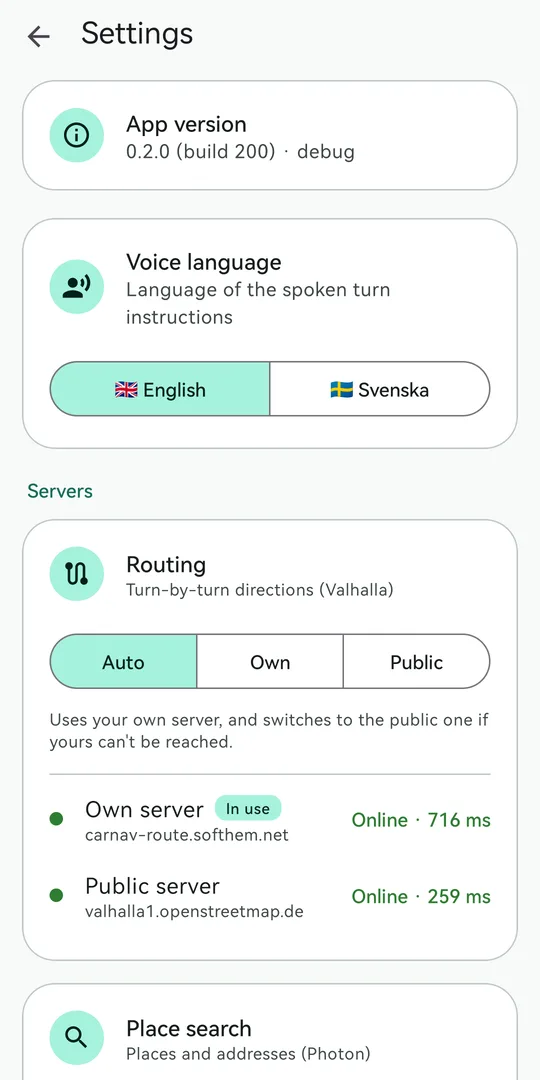
Clear spoken instructions in English or Swedish, with four volume levels. It never nags you with the same instruction over and over.
Live traffic
Traffic flow on the map and in your arrival time, plus alternative routes to choose from before you start.
Stops on your route
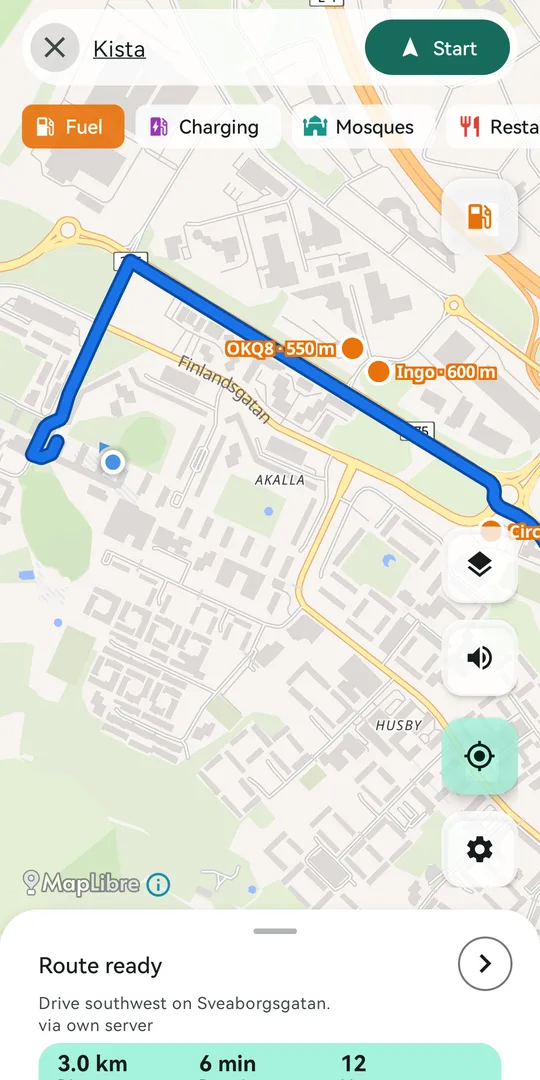
Fuel, charging, mosques, food and more, near you or ahead on your route. Sort by total distance or by how far off the route they are.
Add a stop in one tap
Add a station as a stop, or route straight to it and then continue to your destination when you're done.
Walk the last stretch
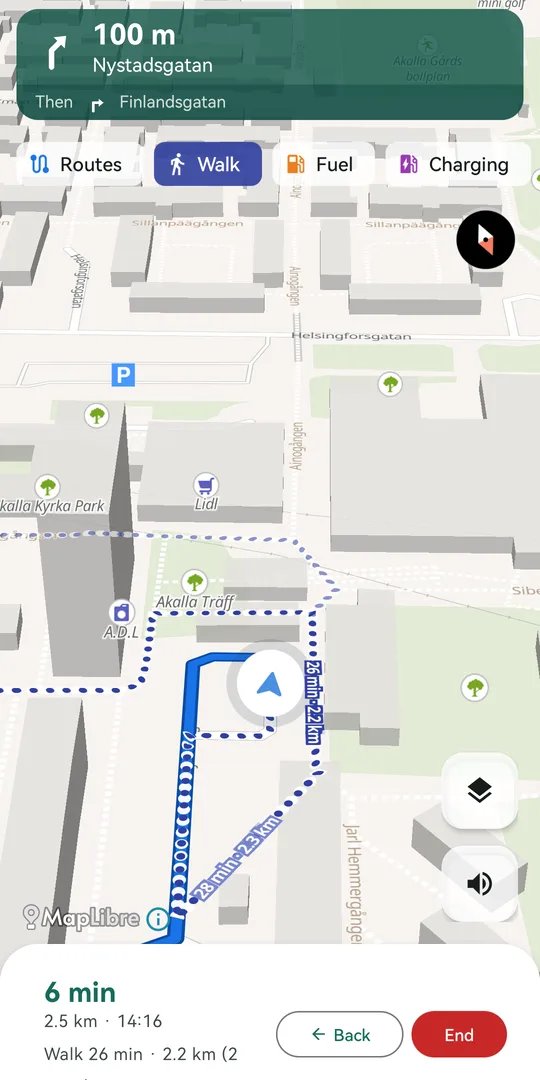
Near your destination, CarNav shows walking routes to the exact door, labelled with time and distance, for places a car can't reach.
Your places, your lists
Home, Work, Favourites, Want to go and lists of your own. Long-press the map to drop a pin anywhere.
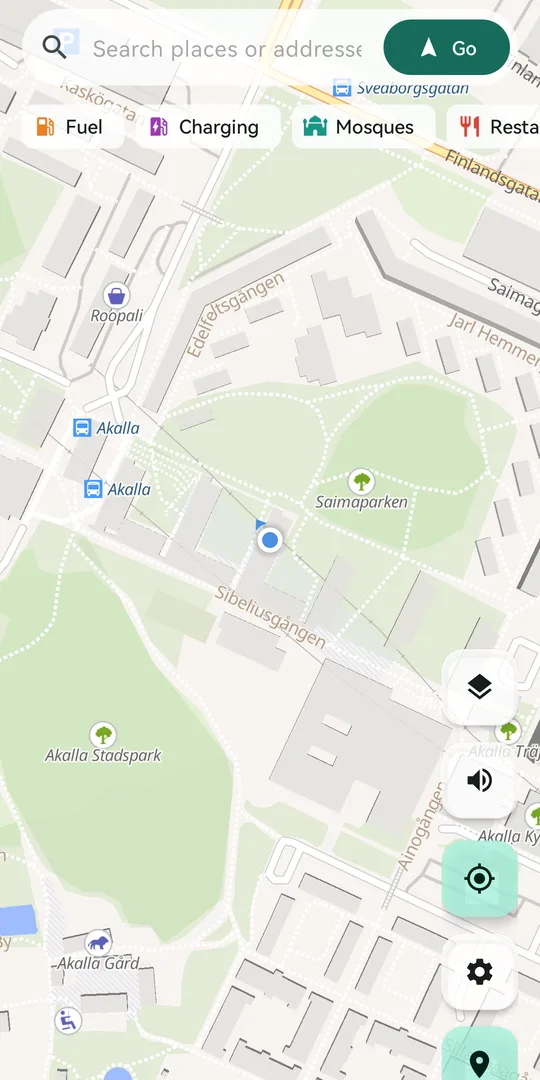
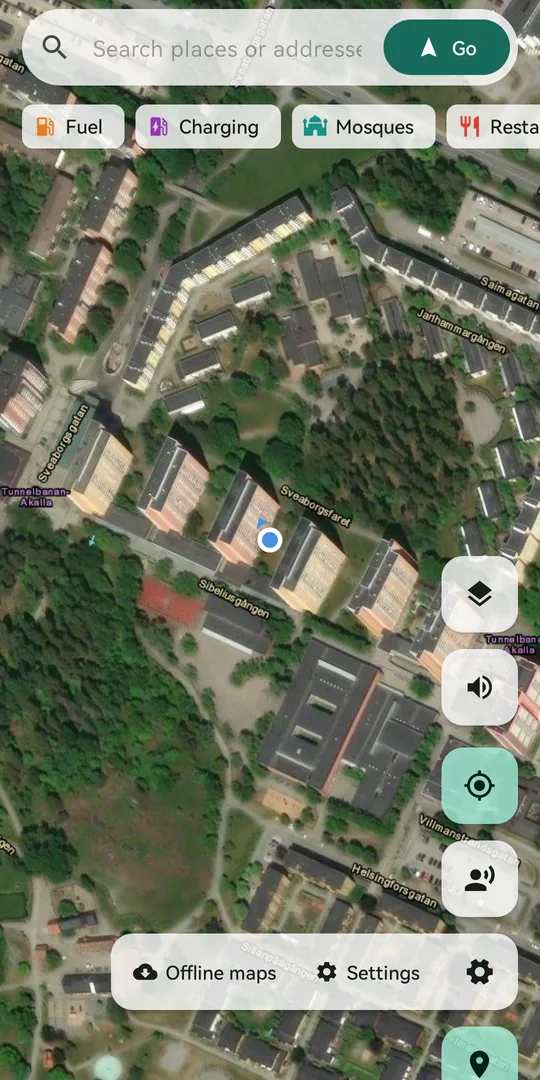
Street map or satellite
Switch between a clean street map and satellite imagery, and turn the traffic layer on or off.
Offline maps
Download the areas you drive in, so the map keeps working where coverage drops.
Private by design
No account, no ads and no analytics. Your saved places and settings stay on your phone.
Screenshots
See it on the road
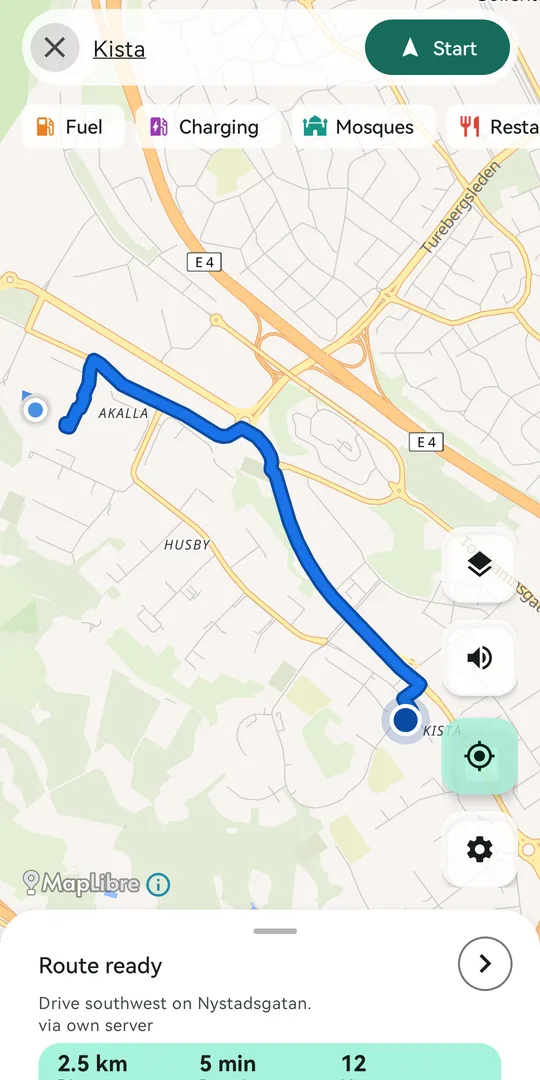
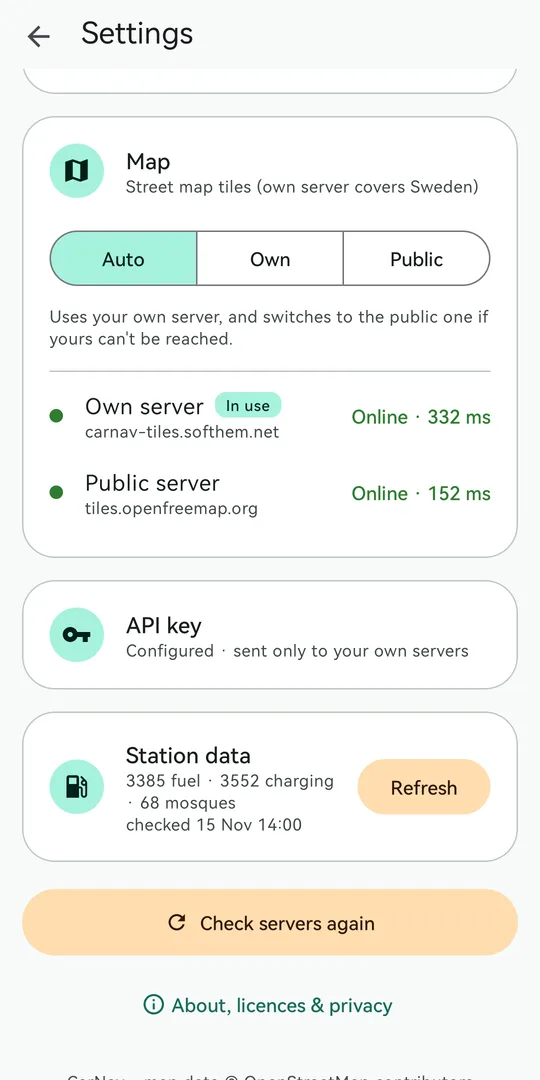
Swipe through to see route planning, guidance and settings.
Demo
One trip, start to finish
Pick a destination and start. Guidance keeps going with the screen off or another app in front, and a notification shows while you navigate. Tap End and it all stops.
- Choose a destination, tap Go, then Start
- Turn-by-turn guidance with a live notification
- Keeps guiding in the background
- Tap End to stop
How to use
From search to the front door
Four steps cover most trips.
Find a place
Type an address or name in the search bar, pick Home, Work or a saved place, or long-press the map.
Pick your route
Compare the suggested routes with traffic, then tap Start.
Stop on the way
Tap a pill such as Fuel or Charging to see places ahead, then Add to route or Route to.
Walk the last bit
Turn on the Walk pill to see walking routes to the exact spot as you arrive.
- Tap the layers button to switch satellite and traffic on or off.
- Tap the speaker to set the voice volume, or mute it.
- Back during navigation returns to the route preview and keeps your destination.
- Settings sets the voice language and lets you refresh station data.
Your trips are yours
No account, no ads, no analytics. The app only sends what it needs to route, search and show the map.